Better crop scouting goes beyond replacing pen and paper. Capture field observations, photos and notes as you scout, then compile everything into a professional report and send it to your grower before you leave the field.
Add any kind of description of the video you would want here.
"FarmQA had the field boundaries on a map, it had a list of the pests that I was looking for, and the one-page report was something I could feel proud to send to a grower."
Hazen Agronomist
NW Biologic
Draw Them, Drive Them, or Import Them. Your Fields are Ready.
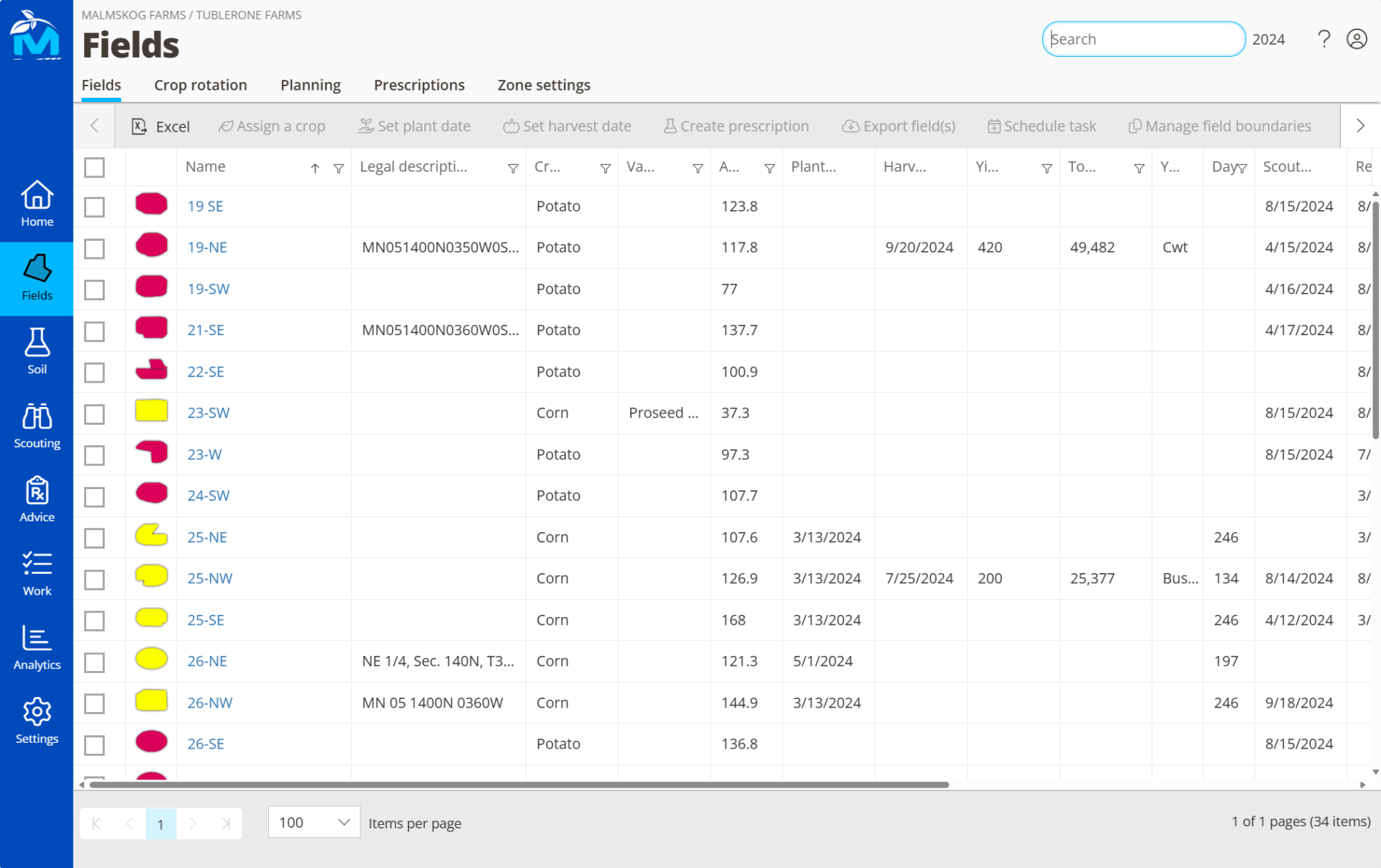
Field mapping starts before you ever walk a field. Create field boundaries directly in QA Advisor, assign crops and varieties, and color code each field so your scouting map reflects exactly what’s planted and where. Already have shapefiles? Send them over and we’ll get them imported.
Every field you map is immediately available for scouting, template assignment, and reporting. No limits on field count — whether you’re managing fifty accounts or five hundred fields, QA Advisor scales with your operation.
Find Any Field, Any Time
Mark field entrances, see distances at a glance, and get turn-by-turn routing to any field directly from the mobile app. Tap a field and your phone’s mapping tools take it from there.
This is especially useful when seasonal scouts are covering unfamiliar territory — no calls asking for directions, no wrong gate, no wasted time.
Built for Any Crop
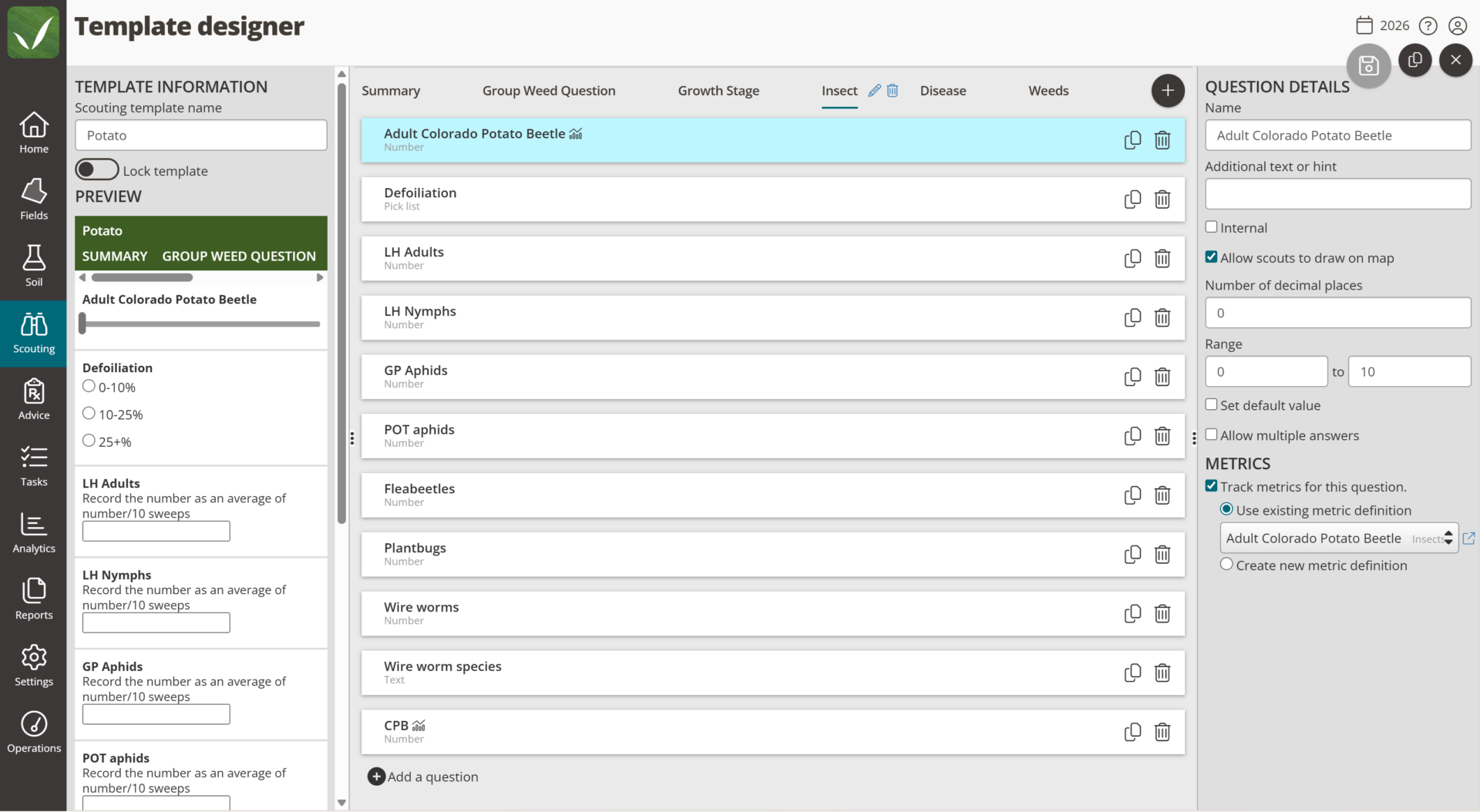
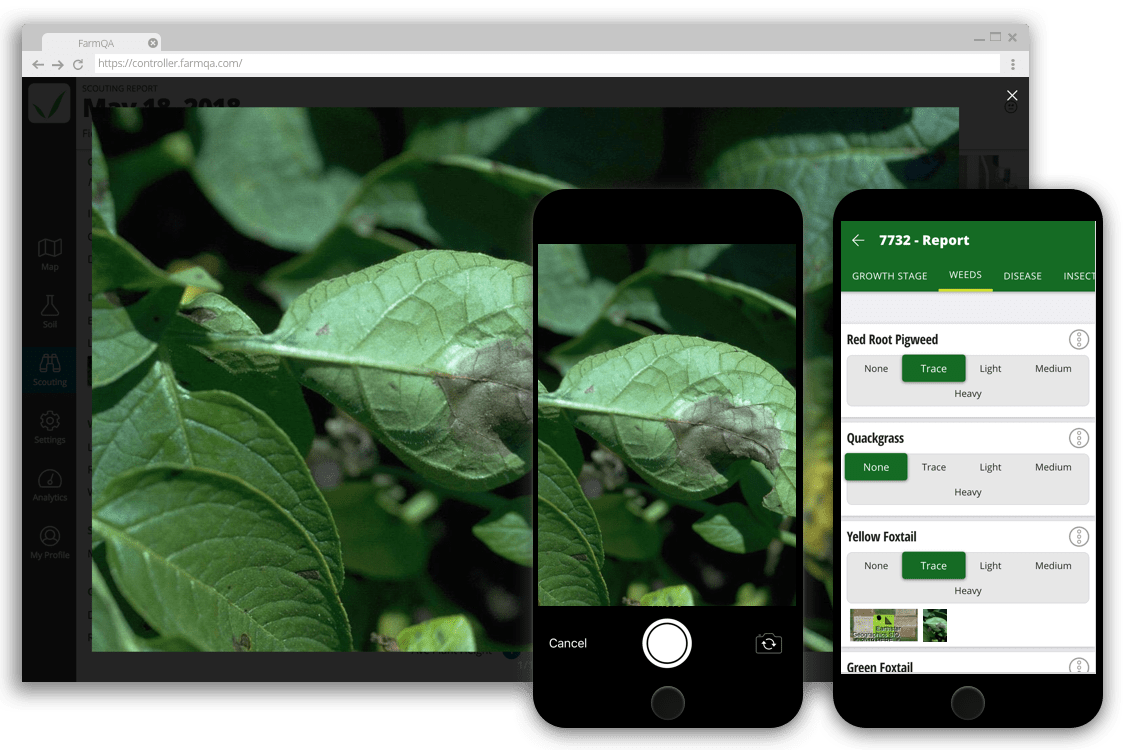
Corn isn’t grapes. Soybeans aren’t potatoes. Your scouting forms shouldn’t treat them that way. Build custom templates for each crop, operation, or scouting program so your team captures the right observations every time, whether you’re walking row crops or scouting blocks and vineyards.
Scouting Images
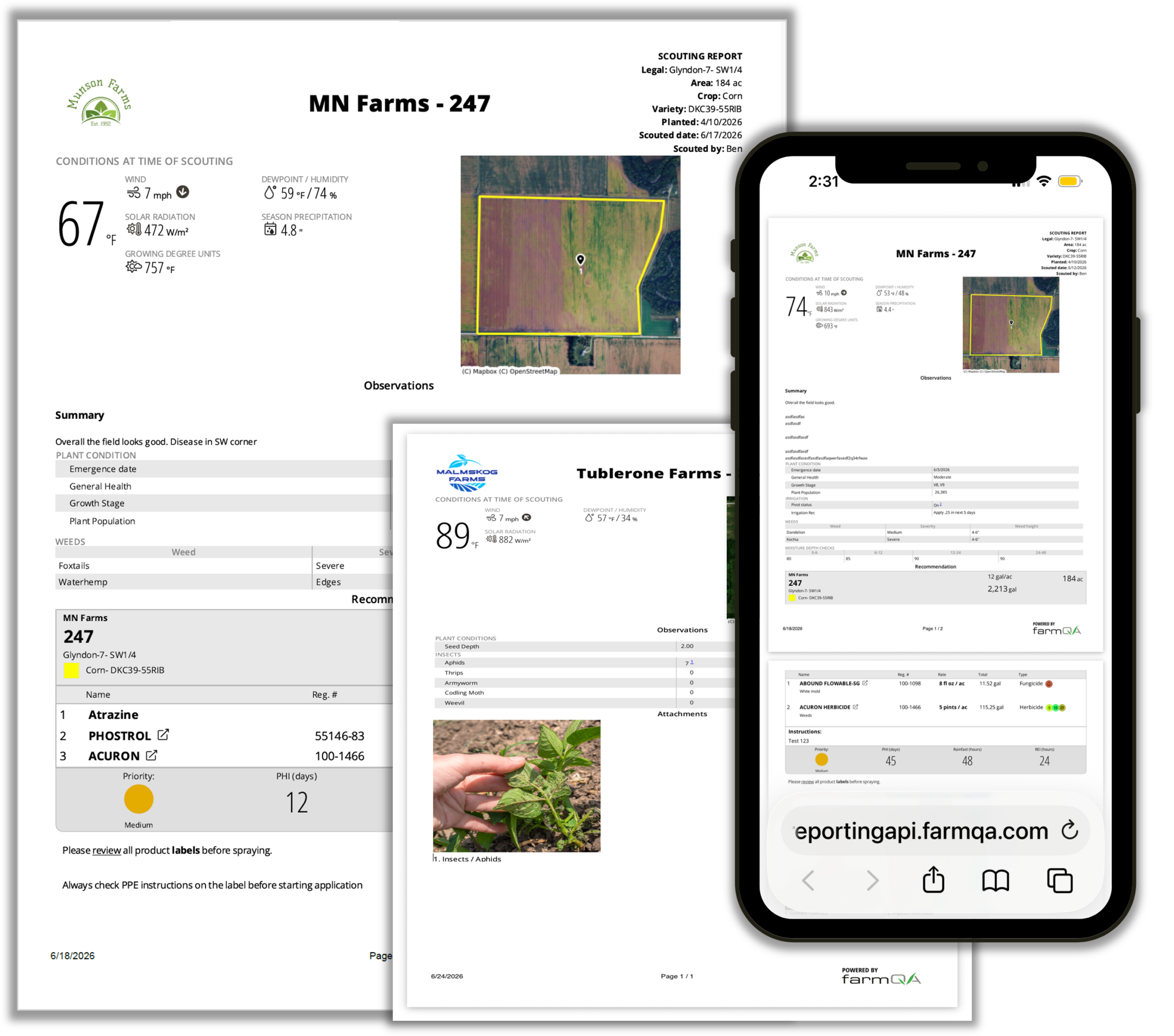
FarmQA Scouting Report
Capture What You See. Show Where You Saw It.
Capture field observations as you scout: notes, photos, map annotations, and customizable scouting forms built for the crop and operation you’re working. Geo-tagged photos and field mapping add the where to the what, giving you a complete scouting map of conditions and issues across every field, block, or growing location.
What is Captured While Scouting
When scouting is complete, turn those observations into a professional PDF report with field maps, photos, conditions, and recommendations your grower can act on. Send it before you leave the field as a PDF by text or email, or directly to the QA Farmer mobile app.
The Scouting Report
When multiple scouts are covering the same operation, merge their individual reports into one consolidated view before anything goes to the grower. One report, one professional presentation, regardless of how many people were in the field.
Know Your Grower Got the Message
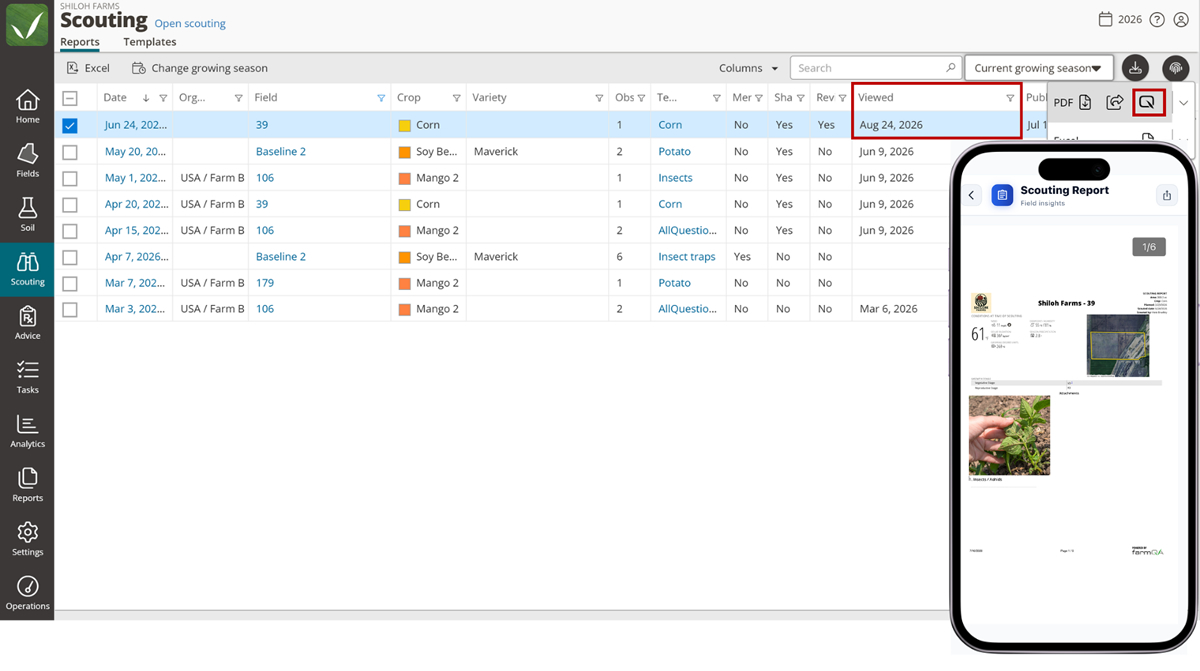
Sending the scouting report is only part of the job. When you send it through QA Farmer, your grower gets notified and the report lands in their app. Back in QA Advisor, you can see when they’ve viewed it — it’s the same PDF either way, whether it’s sent through QA Farmer, by text, or by email.
No more wondering whether the message got through. QA Farmer also gives growers everyday tools for weather, grain markets, and bin monitoring, so there’s genuine reason for them to open the app regularly, which means your reports get seen.
Use the QA Farmer send option in QA Advisor to deliver a scouting report directly to your grower’s app. Once they open it, the Viewed status confirms they’ve seen the report.
Add any kind of description of the video you would want here.
Directed Scouting
Spend your time where it matters most. Use satellite imagery on mobile to help identify areas that need a closer look, or direct scouts to known problem spots within a field. Set scouting locations, associate reports with those locations, and return to the same areas to track issues throughout the season and across growing seasons.
During scouting season, agronomists live in the QA Advisor mobile app — on a phone or a tablet, in the field. Touch-optimized data entry works fully offline in fields without signal. Your data and scouting templates are cached on the device, so a dead zone never costs you a scouting report. Sync happens automatically when you’re back online.
Tasks: Keep the Next Step Moving
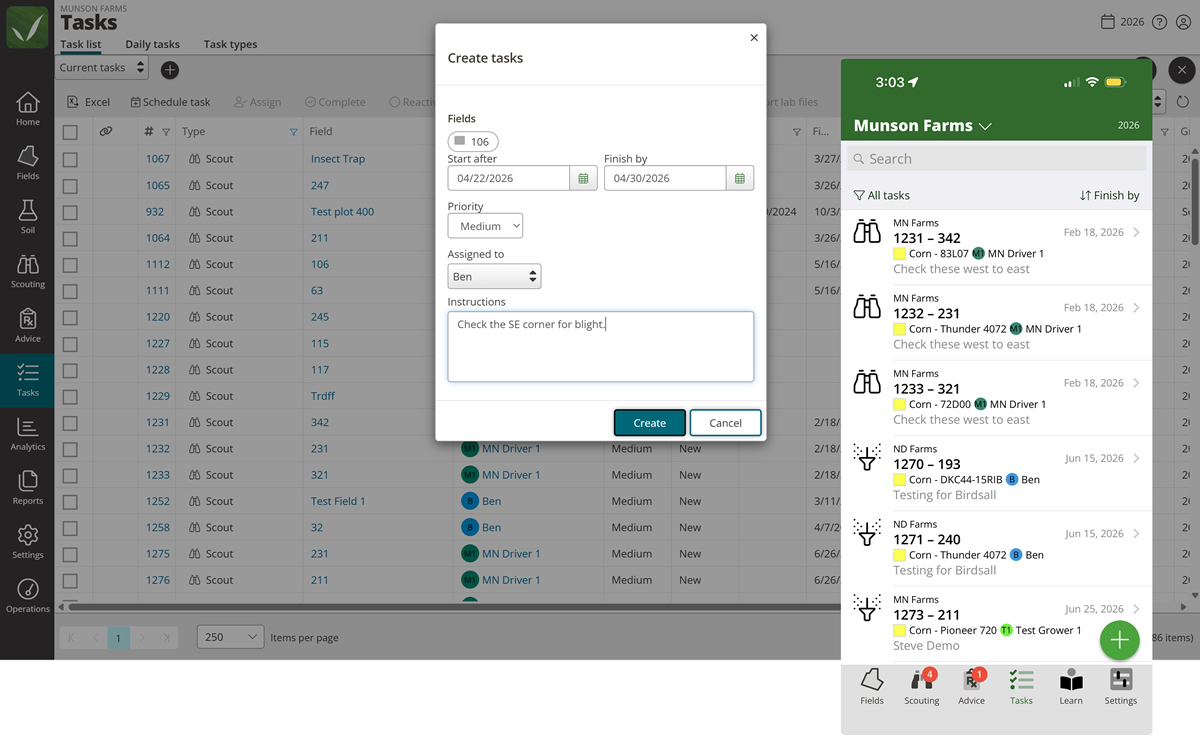
Scouting doesn’t stop when you submit the report. With the Tasks add-on, schedule a follow-up visit while you’re still in the field, assign work to your team, and track what needs to happen next — all tied directly to the scouting data you just captured.
Managing seasonal scouts? See all of their reports in one place and approve them before anything reaches your growers.
Integrated pest management is the framework agronomists use to make informed, season-long decisions. QA Advisor supports the full five-step IPM process, connecting scouting, analysis, recommendations, action, and follow-up in one platform.
Identify The Pest
scouting templates built for accurate identification
Monitor Pest Activity
Ongoing scouting reports over time
Determine Action Thresholds
Analytics and historical data
Explore & Apply Treatment Options
Recommendations and prescriptions
Evaluate Results
Follow-up scouting and reporting
Identify the Pest
Confirm what you are actually dealing with in the field.
IN QA ADVISOR
Scouting Templates
Built for accurate identification
Monitor Pest Activity
Track how pressure builds across fields and weeks.
IN QA ADVISOR
Scouting Reports
Ongoing activity over time
Determine Action Thresholds
Decide when pressure justifies a treatment.
IN QA ADVISOR
Analytics
Historical data and trends
Explore & Apply Treatment Options
Pick the option that fits and get it into the field.
IN QA ADVISOR
Recommendations
Prescriptions ready to apply
Evaluate Results
Check whether the treatment did what you expected.
IN QA ADVISOR
Follow-up Scouting
Reporting on what worked
Field & Organization Management
If you manage scouting across multiple farms, growers, or organizations, QA Advisor can handle all of them under one account. Partition your growers and their fields into separate farms using the organization designer, with multiple levels of hierarchy so your account reflects the way your business is actually structured. Every farm has its own fields and reports, and you see all of it in one place without logging in and out or managing separate systems.
Priced for Real Operations
QA Advisor’s core platform is priced by users and roles, not by the acre. Scouting, recommendations, soil sampling, and reporting are all included. Add-on modules let you expand the platform as your operation grows, each priced to fit the capabilities you actually need.

"FarmQA had the field boundaries on a map, it had a list of the pests that I was looking for, and the one-page report was something I could feel proud to send to a grower."