
Build crop plans for every field, from crop rotations and seed selections to fertilizer rates and application timing. Turn those plans into a costed input list you can share with growers or retailers, then track and manage the plan as the season unfolds.
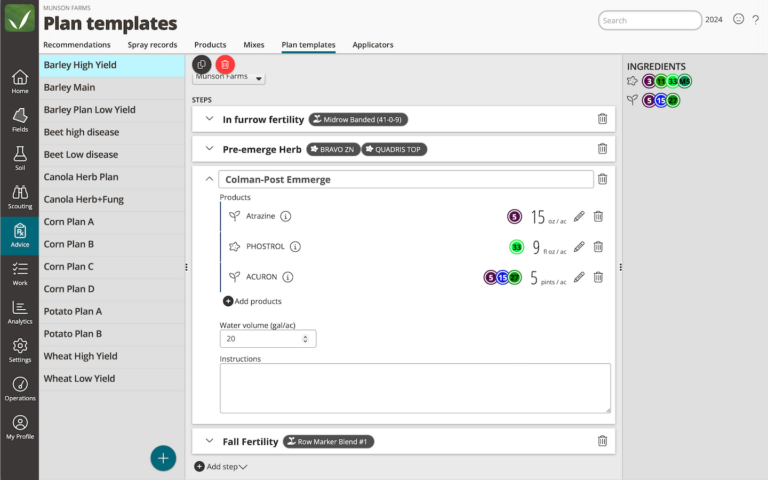
Create reusable crop plan templates with yield goals, steps, products, rates, and timing you expect for the season. Apply a plan across multiple fields, then customize individual fields when their needs are different. From planting and fertility to herbicide and fungicide applications, you start with a plan instead of starting over for every field.
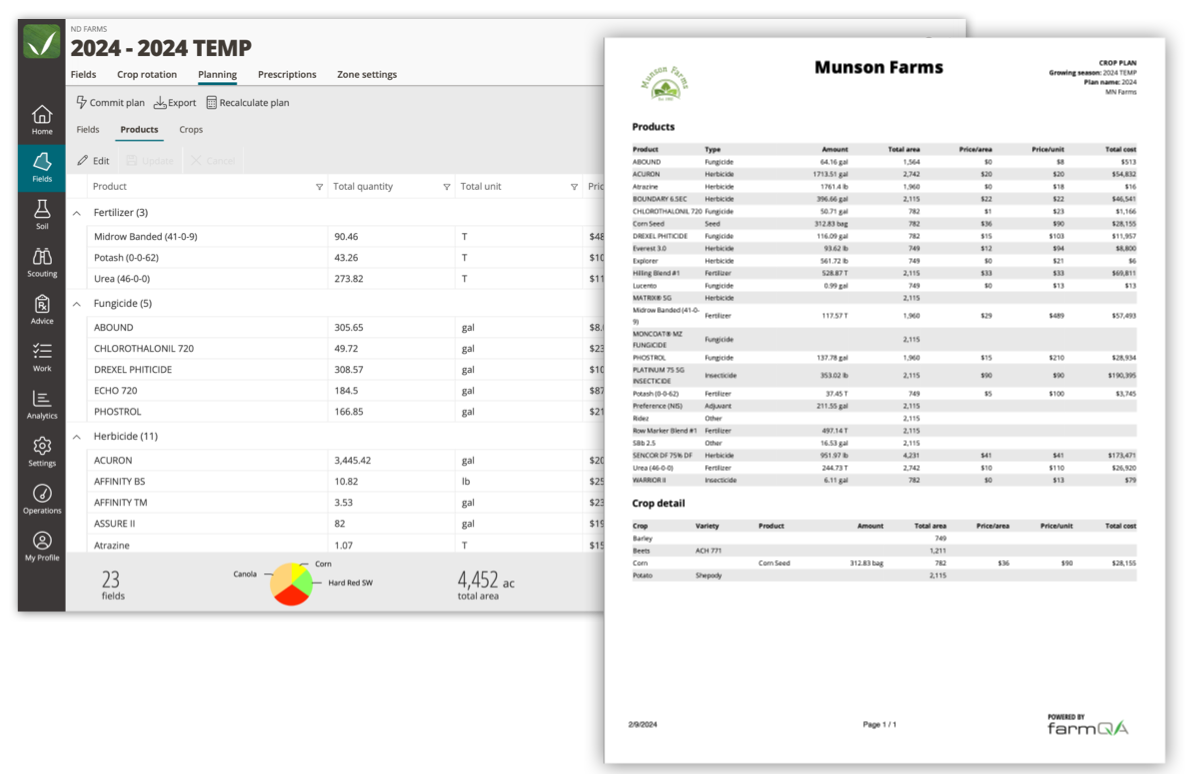
Know what the season’s plan requires before inputs are purchased. Add product pricing and QA Advisor calculates costs by product and across the full plan. Then generate a detailed input shopping list with quantities, cost per acre, total costs, and blend breakdowns that you can share with your grower, co-op, or retailer.
The export includes a total cost summary by product type, including blend breakdowns, price per acre, total area, and grand total. Built to be shared directly with a co-op, retailer, or grower.
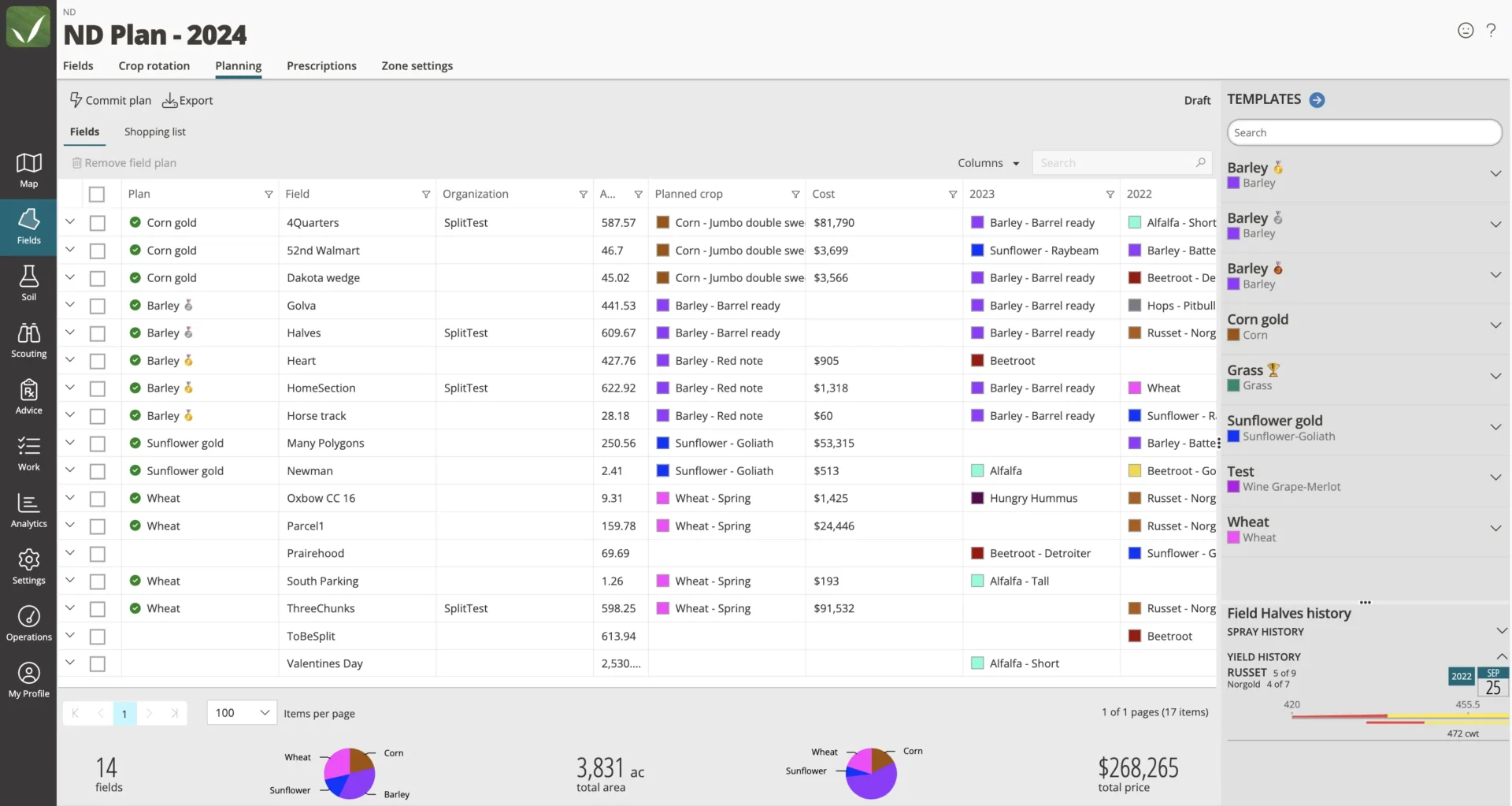
See QA Advisor Crop & Field Planning features and workflows at a glance.
See the progress of each field against its crop plan, so you know what’s complete, what’s changed, and what’s still ahead. As the season progresses, create recommendations directly from the crop plan with planned products and rates already filled in, reducing manual data entry and keeping a clear record of what was planned versus what actually happened.
When conditions change, adjust products, rates, acreage, planting details, or individual steps. View plans and make updates from the QA Advisor mobile app while you’re in the field, so the plan stays current whether you’re at a desk or walking fields. At the end of the season, you have a record of what was planned, what changed, and what actually happened to help inform next year’s plan.
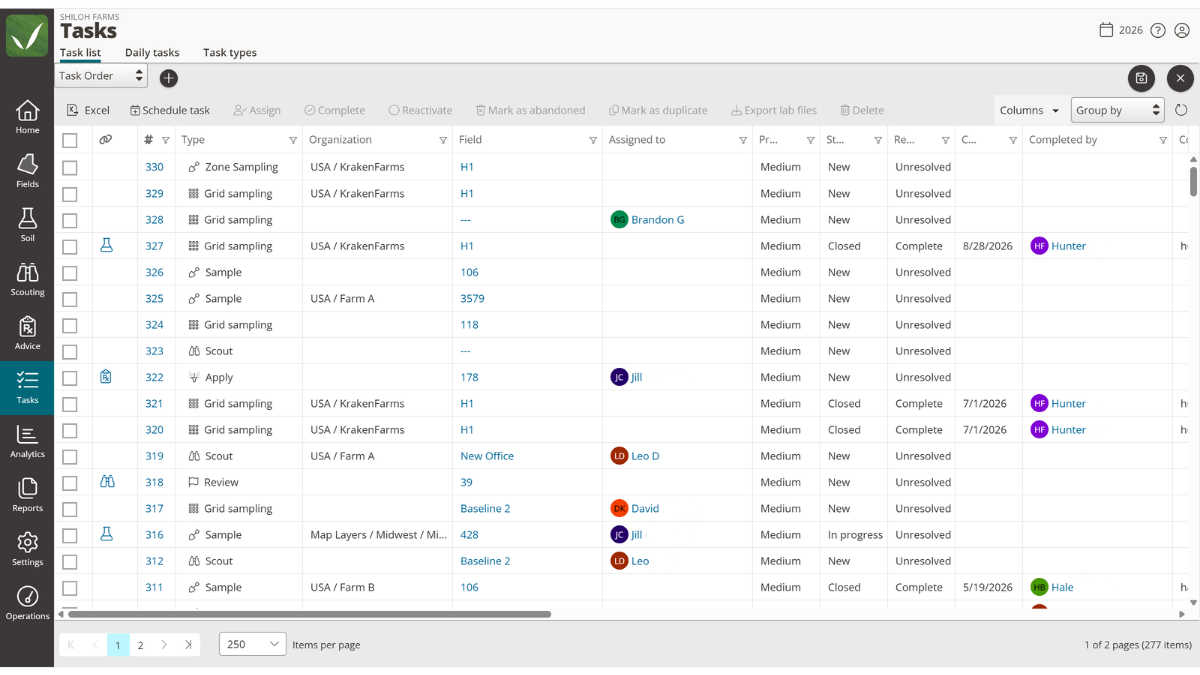
A crop plan is only as good as what actually gets done. With the Tasks add-on, you can easily create tasks once a recommendation has been made for a particular crop plan step, streamlining the management process. Assign application steps to the right operator, track completion in real time, and generate application records automatically when the work is finished. Everyone on your team knows what needs to happen next, and you know when it did.
Yes. QA Advisor uses reusable crop plan templates. Build a plan once for a crop type, set your steps, products, and rates, then apply it across as many fields as you need. Each field can be customized from there without changing the template.
Yes. You can create a recommendation directly from a crop plan step, with the products and rates from the plan already filled in. That means less retyping when it's time to turn the season's plan into action. The recommendation and the plan stay linked, giving you a clear record of what was planned versus what was actually written and applied.
Yes. Plans export as PDF or Excel. The PDF can include field shapes, product costs, and a full breakdown by step. The Excel export includes the same cost data in a format built for sharing with a co-op, retailer, or for use in your own planning process. The export includes total cost by product, price per acre, and grand total.
Yes. Crop plans in QA Advisor are living documents. You can edit product rates, add products to a step, adjust acreage for individual fields, or skip a step entirely if conditions make it unnecessary. Changes are available from both the web app and the mobile app while you are in the field.
Yes, with the Tasks add-on. Once a recommendation has been created from a plan step, you can assign it as a task to a specific operator with a due date and field instructions. When they complete it on mobile, QA Advisor captures the application details at that moment. Tasks is available as a QA Advisor add-on — learn more at farmqa.com/tasks.
QA Advisor doesn’t charge by the acre. Pricing is based on users and roles, not acreage managed.
One-on-one, responsive customer support, whenever you need it.

Build a crop plan for your fields, create reusable templates, calculate input needs and costs, and keep the plan moving as the season unfolds.
Nutrient Blender complements crop planning with a faster way to build flat-rate fertility plans. Set nutrient goals based on expected yield, account for nutrients already available in the soil, and calculate the product rates needed to close the gap.
Build single- or multi-product blends and adjust rates to match your fertility strategy. It’s a faster way to work through pre-season nutrient needs without building and maintaining your own spreadsheets.